
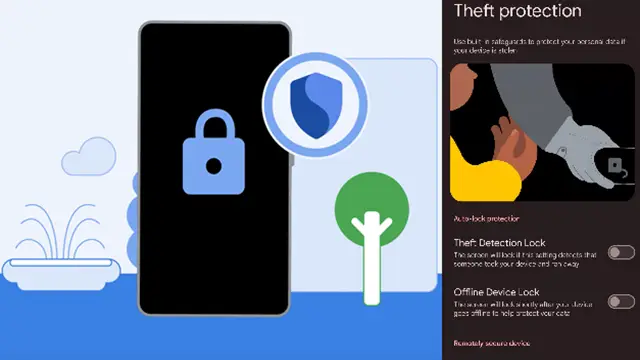
There has been a remarkable rise in smartphone thefts across the world say reports. In order to prevent the misuse of the phones post theft, Google has announced new theft protection features for Android smartphones. These features will help keep all your data protected and safe. Let us learn in details what it is all about.
Google in its official blog says, “Phone theft is more than just losing a device; it’s a form of financial fraud that can leave you suddenly vulnerable to personal data and financial theft.” That is why Google is committed to providing multi-layered defenses that help protect you before, during, and after a theft attempt.
Google has announced a powerful set of theft protection feature updates that build on their existing protections, designed to give you greater peace of mind by making your device a much harder target for criminals.
Availability
Google has expanded their security to protect you against an even wider range of threats. These updates are now available for Android devices running Android 16+.
It is worth mentioning here that, in Android 15 Google launched Failed Authentication Lock, a feature that automatically locks the device’s screen after excessive failed authentication attempts. This feature is now getting a new dedicated enable/disable toggle in settings, giving you more granular control over your device’s security.
Early in 2025, Google enabled Identity Check for Android 15+, which requires the user to utilize biometrics when performing certain actions outside of trusted places. Later in the year, Google extended this safeguard to cover all features and apps that use the Android Biometric Prompt. This means that critical tools that utilize Biometric Prompt, like third-party banking apps and Google Password Manager, now automatically benefit from the additional security of Identity Check.
Google is making it much harder for a thief to guess your PIN, pattern, or password by increasing the lockout time after failed attempts. To ensure you aren’t locked out by mistake (by a curious child, for instance), identical incorrect guesses no longer count toward your retry limit.
Remote Lock is a crucial tool that lets you lock your lost or stolen device from any web browser. Google is adding a new optional security question/challenge to the process. This helps ensure that only you, the real device owner, can initiate a lock, adding another layer of security to your recovery flow.
Innovation Still On
Google is always evolving their protections to stay one step ahead of thieves. Their ongoing updates help ensure that no matter where you go, you can have greater peace of mind knowing your device and data are protected by Android’s multi-layered defenses. Even more Android theft protection updates are scheduled says Google.