As committed, Microsoft has finally launched the Windows 11 today, on October 5 and it has been officially made available for update. After this, Windows users across the globe can download this new version of Windows OS to their system and install it. The Windows 10 users will get this new Operating System free of cost. Besides, laptops of all leading brands such as Dell, Asus, Acer, Lenovo and HP etc. now will be made available with the Windows 11 OS.
How to download Windows 11
Microsoft has pushed the Windows 11 update for the Windows 10 users already. So they can check for the same by going to System Updates>Download Now. The users can complete the download process by clicking on Download Now and following the recommended steps. They can also download the Microsoft PC Health app along with the new Windows OS.
Windows 11 Features
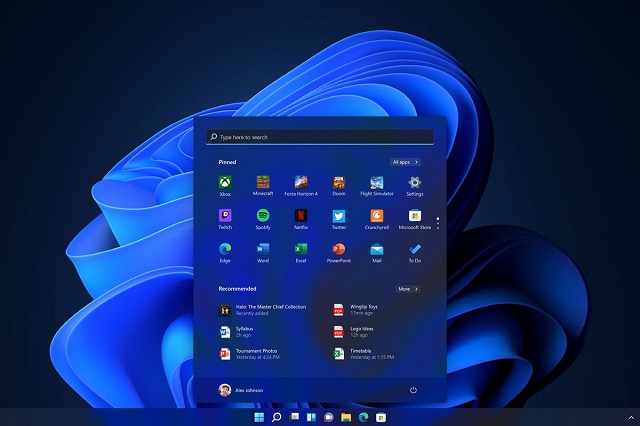
The Windows 11 comes with major changes in terms of Design, Interface and Start Menu. “Hi Cortona” has been removed from the welcome screen in Windows 11 and the Live Title will also not appear in the new OS. The Windows start sound also has been changed. Microsoft looks forward to compete with macOS and Chrome OS with the new Windows 11 design.
Start Menu Placement changed
The New Windows 11 OS comes with a fresh Start Menu which includes a new Interface along with new sound. The new Windows corner somehow looks like the recently launched iPadOS. The Start Menu now has been placed in the Centre, which is the first time after 1996. The App placements to many extents is like the macOS and Chrome OS. However, the users can change placement of the start menu as per their requirement. The Start Menu also does not include Live Title.
Also Read: