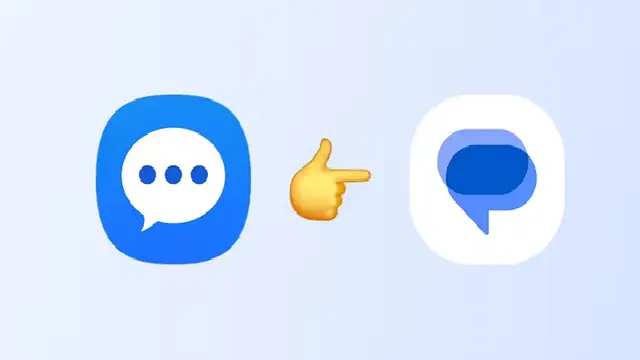
Samsung has made an official end of service announcement for the Samsung Messages application. It has further added that the Samsung Messages application will be upgraded to the Google Messages application. The tech major has further gone on to confirm that the discontinuation of the messages app will be done starting July 2026. The official announcement reads as follows, “The Samsung Messages application will be discontinued in July 2026. Upgrade to Google Messages as your default messaging app today to maintain a consistent messaging experience on Android.”
However the Company has added that consumers need to check the Samsung Messages app for the exact date as to when the service will be discontinued. Users of an older Android OS (Android 11 or lower) shall however not affected by this End of Service.
The Reason For The Major Upgrade
The major and topmost reason for the upgrade is the Powerful Security of Google massages. It is powered with AI-powered scam detection and robust spam filters identify and block suspicious texts to help keep your inbox clean and your personal information safer and more secure.
Reason number two is the RCS Messaging. With RCS enabled across Android and iOS, you and your friends can share high-quality photos and videos, enhance your group chats, see real-time typing indicators, and more. It is worth mentioning here that, all chat members must have RCS enabled for RCS Messaging to work as intended. On Android, users must have Google Messages installed and on on iOS, iOS 18 or later is required.
The excellent and advanced Expressive AI Features that are not worthy of missing out on. Access powerful Gemini features to bring AI-powered expressivity to your chats, including remixing photos and smart replies.
Another worth mentioning feature and reason for the upgrade is the Multi-Device Connectivity. This feature helps switch chats between your phone, tablet or smart watch without any interruption. This helps you stay connected anywhere and on the go.
How To Switch To Google Messages From Samsung Messages
Depending on your OS, you may receive an in-app notification from Samsung Messages to help guide you through the process. Follow the on-screen instructions to complete the switch. Please download Google Messages (if needed) from the Play Store for the latest features and best experience.
To switch to Google Messages manually, try the following steps:
Open or download Google Messages. The first time you open the app, a message appears: “To use Messages, make it your default SMS app.” And then Tap the ’Set default SMS app’ button. Following that Select Google Messages (Google Messages is the white icon with the blue conversation bubble) Then you need to Tap ’Set as default’. Then, Google Messages will be your default messaging app.
It is worth mentioning here that, for users still on Android 12 or 13 the Google Messages icon will not automatically shift into the home screen dock when you complete the switch. After the installation of the Google Messages app, the following directions are to be done to move Google Messages to the home screen dock. The steps are as follows:
Long press the Samsung Messages icon in the home screen dock and select ‘Remove’. Then you need to find the Google Messages app icon and long press it. Select ‘Add to Home’, to add it to the home screen. Then manually select the Google Messages icon and drag it into the home screen dock. The Google Message app icon will now be included in the home screen dock.
Few Other Details About The Upgrade
It is worth noting that the older generation watches with the Tizen OS (i.e. watches that were launched before the Galaxy Watch4) cannot support Google Messages. Therefore, after the discontinuation of Samsung Messages, those older Tizen OS watches will no longer be able to see the full message conversation history on their watch. However, those watches will still enable the user to read and send text messages.
In addition, once the Samsung Messages app is discontinued, sending messages via Samsung Messages on your phone will no longer be possible, except for emergency service numbers or emergency contacts defined in your device. Further for Samsung devices released before 2022, switching messaging applications may temporarily disrupt ongoing RCS conversations. However, RCS conversations can resume if both parties switch to Google Messages. MMS/SMS messaging will remain available during this period.
Another point worth mentioning is that, owners of the Galaxy S26 and newer devices cannot download the Samsung Messages app from the Galaxy Store. All other devices will no longer be able to download the Samsung Messages app from the Galaxy Store after Samsung Messages is discontinued in July 2026.